2026년 7월 22일 수요일

TouchGap Support | TouchGap 지원

TouchGap Support | TouchGap 지원

TouchGap은 iPhone, iPad 및 Android 기기에서 앱에 전달된 터치 이벤트의 연속성을 시각화하는 검사 도구입니다.

TouchGap is a touch-continuity testing tool that visualizes touch events delivered to the app on iPhone, iPad, and Android devices.


한국어

앱 정보

  • 앱 이름: TouchGap
  • 번들 ID / 패키지명: com.nowapp.touchgap
  • 현재 버전: 1.0.0 (빌드 1)
  • 지원 기기: iPhone, iPad, Android 스마트폰 및 태블릿
  • 계정 또는 로그인: 필요 없음

지원 언어

시스템 기본 언어, 한국어, 영어, 일본어, 브라질 포르투갈어, 중남미 스페인어, 힌디어, 인도네시아어, 아랍어를 지원합니다.

앱의 설정 > 앱 언어에서 언어를 변경할 수 있습니다.

빠른 시작

  1. 화면을 깨끗이 닦아 말리고 케이스, 충전기 및 외부 액세서리를 분리합니다.
  2. 홈에서 검사 모드를 선택한 뒤 화면 안내에 따라 검사를 완료합니다.
  3. 이상이 반복되면 케이스, 충전기 또는 다른 조건 중 하나만 바꾸고 같은 검사와 움직임을 반복합니다.
  4. 결과 화면에서 결과 이미지 공유 또는 PDF 리포트 공유를 선택해 결과를 저장하거나 전송합니다.

검사 모드

  • Trace Test (20초): 손가락을 떼지 않고 청록색 안내선을 따라 움직이며 화면 영역별 입력 흐름을 확인합니다.
  • Hold Test (10초): 중앙 표적을 한 손가락으로 누른 채 접촉이 유지되는지 확인합니다.
  • Multi Test (15초): 2개 또는 3개의 손가락을 동시에 대고 움직이며 멀티터치 입력을 확인합니다.
  • Ghost Watch (15초): 기기를 평평하게 놓고 화면을 만지지 않은 상태에서 앱에 전달되는 예상 밖 입력을 감시합니다.
  • Tap Test (15초): 1×, 2×, 3× 표적을 각각 싱글, 더블, 트리플 탭해 인식 결과를 확인합니다.

검사 화면 읽는 법

  • 색상별 선은 앱이 수신한 각 손가락의 이동 경로입니다.
  • 빨간 점선은 두 터치 이벤트 사이의 시간이 선택한 기준을 초과한 구간입니다.
  • 빨간색 X는 운영체제가 앱에 전달한 터치 취소 이벤트를 뜻합니다.
  • 간격 기준은 35ms, 55ms, 80ms 또는 120ms 중에서 선택할 수 있습니다. 기본 권장값은 55ms입니다.

결과와 리포트

결과 화면에서는 최대 이벤트 간격, 평균 표본률, 끊김 의심 횟수, 취소 횟수, 수신 표본 수, 검사 시간과 화면 히트맵을 확인할 수 있습니다.

결과는 안정, 주의 또는 재검사로 표시됩니다. 안정은 뚜렷한 이상이 기록되지 않았다는 뜻이고, 주의는 같은 조건에서 다시 확인할 징후가 있다는 뜻입니다. 재검사는 판정에 필요한 입력이나 검사 시간이 부족했다는 뜻입니다.

PNG 결과 이미지와 PDF 리포트는 기기에서 생성되며, 사용자가 공유 버튼을 누를 때만 iOS 또는 Android의 시스템 공유 화면이 열립니다. PDF에는 검사 종류, 점수, 주요 지표, 히트맵, 기기 모델, 운영체제 버전과 검사 시간이 포함됩니다.

앱이 실행 중인 동안 최근 결과가 표시되며, 최근 두 결과를 비교할 수 있습니다. 유용한 비교를 위해 같은 검사 모드, 화면 방향, 움직임과 간격 기준을 사용하세요.

자주 묻는 질문

빨간 점선이 있으면 화면이 고장 난 것인가요?

아닙니다. 빨간 점선은 앱이 수신한 이벤트 사이의 간격이 선택한 기준보다 길었다는 뜻입니다. 이것만으로 디스플레이나 터치 패널 고장을 확정할 수 없습니다.

표본률이나 최대 간격이 검사마다 달라지는 이유는 무엇인가요?

화면 재생률, 시스템 부하, 전원 모드, 손가락 움직임, 시스템 제스처, 입력 전달 지연과 Android의 이벤트 묶음 처리 등이 결과에 영향을 줄 수 있습니다. 같은 조건에서 여러 번 반복해 비교하세요.

검사 시작 버튼이 잠시 비활성화되는 이유는 무엇인가요?

앱이 광고 개인정보 설정을 확인하는 동안 검사 버튼이 잠시 비활성화될 수 있습니다. 표시되는 동의 화면을 완료하고 잠시 기다려 주세요. 계속 비활성화되면 네트워크 연결을 확인한 뒤 앱을 다시 실행해 보세요.

광고는 어디에 표시되나요?

배너 광고는 광고가 정상적으로 로드된 경우 홈과 결과 화면 하단에만 표시될 수 있습니다. 활성 검사 화면에는 광고도, 비어 있는 광고 영역도 없습니다. 동의 상태, 네트워크 또는 광고 재고에 따라 광고가 표시되지 않을 수 있으며 이는 검사 기능의 오류가 아닙니다.

PDF 리포트는 어떻게 만드나요?

검사를 완료한 뒤 결과 화면에서 공유 또는 내보내기를 누르고 PDF 리포트를 선택하세요. TouchGap이 기기에서 PDF를 만든 뒤 시스템 공유 화면을 엽니다.

Ghost Watch에서 입력이 기록되면 고스트 터치가 확정되나요?

아닙니다. Ghost Watch는 화면을 만지지 않는 동안 운영체제가 앱에 전달한 입력을 기록합니다. 같은 장소와 조건에서 여러 번 반복하고, 충전기나 케이스를 분리한 상태에서도 비교해 보세요.

문제가 계속되면 어떻게 해야 하나요?

화면을 닦고 시스템 부하를 줄인 뒤 같은 검사를 반복하세요. 한 조건만 바꾸어 비교하고, 같은 위치에서 징후가 반복되면 다른 검사 모드로 교차 확인하세요. 문제가 계속되면 Apple, 기기 제조사 또는 공인 서비스 제공업체에 하드웨어 점검을 요청하세요.

진단 범위와 한계

TouchGap은 운영체제가 앱에 전달한 터치 이벤트를 분석하는 참고 도구이며 하드웨어 상태를 확정하거나 보증하지 않습니다. 느린 움직임, 화면 재생률 변화, 시스템 부하, 전원 상태, 시스템 제스처, 이벤트 묶음 처리, 케이스, 충전기와 액세서리도 결과에 영향을 줄 수 있습니다.

문의

이메일: master.withdestiny@gmail.com

영업일 기준 3일 이내 답변을 목표로 합니다.

문의할 때 다음 정보를 함께 보내주시면 문제 확인에 도움이 됩니다.

  • iPhone, iPad 또는 Android 기기 모델
  • iOS, iPadOS 또는 Android 버전
  • TouchGap 버전과 빌드 번호(설정 > 앱 정보)
  • 앱에서 선택한 언어
  • 사용한 검사 모드와 간격 기준
  • Multi Test인 경우 선택한 손가락 수
  • 문제가 발생한 화면 위치와 재현 순서
  • 케이스, 충전기 또는 액세서리 연결 여부
  • 가능한 경우 결과 이미지, PDF 리포트 또는 화면 녹화

IMEI, 기기 일련번호, 계정 정보나 그 밖의 민감한 개인정보는 보내지 마세요.

개인정보

개인정보 관련 내용은 TouchGap 개인정보처리방침을 확인하세요.


English

App Information

  • App name: TouchGap
  • Bundle ID / package name: com.nowapp.touchgap
  • Current version: 1.0.0 (build 1)
  • Supported devices: iPhone, iPad, Android phones, and Android tablets
  • Account or sign-in: Not required

Supported Languages

TouchGap supports System Default, English, Korean, Japanese, Portuguese (Brazil), Spanish (Latin America), Hindi, Indonesian, and Arabic.

You can change the language under Settings > App Language.

Quick Start

  1. Clean and dry the screen, then remove the case and disconnect the charger and external accessories.
  2. Choose a test on Home and follow its on-screen instructions until the test is complete.
  3. If an issue repeats, change only one condition, such as the case or charger, and repeat the same test and movement.
  4. On Results, choose Share Result Image or Share PDF Report to save or send the result.

Test Modes

  • Trace Test (20 seconds): Keep one finger down and follow the cyan guide to review input across screen areas.
  • Hold Test (10 seconds): Hold one finger on the center target to check whether contact remains continuous.
  • Multi Test (15 seconds): Move two or three fingers together to review multitouch input.
  • Ghost Watch (15 seconds): Lay the device flat and do not touch the screen while TouchGap watches for unexpected input delivered to the app.
  • Tap Test (15 seconds): Tap the 1×, 2×, and 3× targets once, twice, and three times.

Reading the Test Screen

  • Colored lines show the path received from each finger.
  • A red dashed segment marks an interval between received touch events that exceeded the selected threshold.
  • A red X marks a touch cancellation delivered by the operating system.
  • You can select a gap threshold of 35ms, 55ms, 80ms, or 120ms. The recommended default is 55ms.

Results and Reports

Results can include maximum event interval, average sample rate, suspected gap count, cancellation count, received sample count, test duration, and a screen heatmap.

The assessment is shown as Stable, Caution, or Retest. Stable means no clear anomaly was recorded. Caution means signs worth checking again appeared. Retest means there was not enough input or time for a reliable assessment.

PNG result images and PDF reports are created on your device. The iOS or Android system share sheet opens only after you choose to share. Reports include the test type, score, key measurements, heatmap, device model, operating system version, and test time.

Recent results are available during the current app session, and you can compare the latest two. For a useful comparison, use the same test mode, orientation, movement, and threshold.

Frequently Asked Questions

Does a red dashed segment prove that the screen is defective?

No. It means the interval between events received by the app exceeded the selected threshold. It does not by itself confirm a display or digitizer fault.

Why do the sample rate and maximum gap change between tests?

Display refresh rate, system load, power mode, finger movement, system gestures, input delivery latency, and Android event batching can affect the result. Compare several repeated tests under the same conditions.

Why is the test button temporarily disabled?

The button may be unavailable briefly while TouchGap checks advertising privacy settings. Complete any consent screen that appears and wait a moment. If it remains disabled, check the network connection and reopen the app.

Where are ads shown?

When successfully loaded, banner ads may appear only at the bottom of Home and Results. The active test screen contains no ad and reserves no empty ad space. An ad may not appear because of consent status, network conditions, or ad availability; this does not indicate a test failure.

How do I create a PDF report?

Complete a test, tap Share or Export on Results, and choose PDF Report. TouchGap creates the PDF on the device and opens the system share sheet.

Does input recorded by Ghost Watch confirm ghost touch?

No. Ghost Watch records input delivered to the app while you are instructed not to touch the screen. Repeat the test several times under the same conditions and compare it with the charger and case removed.

What should I do if the problem continues?

Clean the screen, reduce system load, and repeat the same test. Change only one condition at a time. If signs recur in the same area, cross-check with another test mode. If the issue continues, contact Apple, the device manufacturer, or an authorized service provider for a hardware assessment.

Diagnostic Scope and Limitations

TouchGap is a reference tool that analyzes touch events delivered to the app by the operating system. It does not confirm or guarantee hardware condition. Slow movement, display refresh-rate changes, system load, power state, system gestures, event batching, cases, chargers, and accessories can affect the result.

Contact

Email: master.withdestiny@gmail.com

We aim to respond within three business days.

Please include the following information when contacting support:

  • iPhone, iPad, or Android device model
  • iOS, iPadOS, or Android version
  • TouchGap version and build number shown under Settings > About
  • Language selected in the app
  • Test mode and gap threshold used
  • Selected finger count for Multi Test
  • Screen area affected and steps to reproduce the issue
  • Whether a case, charger, or accessory was connected
  • A result image, PDF report, or screen recording if available

Do not send an IMEI, device serial number, account credentials, or other sensitive personal information.

Privacy

For privacy information, see the TouchGap Privacy Policy.

Last Updated

July 22, 2026

TouchGap Privacy Policy | TouchGap 개인정보처리방침

TouchGap Privacy Policy | TouchGap 개인정보처리방침

Effective date / 시행일: July 22, 2026

Last updated / 최종 업데이트: July 22, 2026


한국어

1. 개요

본 개인정보처리방침은 nowApp(이하 “운영자”)이 제공하는 TouchGap을 사용할 때 정보가 어떻게 처리되는지 설명합니다.

  • 앱 이름: TouchGap
  • iOS 번들 ID / Android 패키지명: com.nowapp.touchgap
  • 지원 플랫폼: iOS, iPadOS, Android
  • 계정 또는 로그인: 필요 없음

개인정보 관련 문의: master.withdestiny@gmail.com

2. 기기에서 처리되는 터치 진단 정보

TouchGap은 검사 기능을 제공하기 위해 터치 좌표, 이벤트 시각과 간격, 터치 종류, 사용 가능한 경우의 압력 값, 탭 횟수, 취소 이벤트 및 화면 영역 정보를 기기에서 처리합니다.

진단 결과에는 검사 종류와 시간, 점수, 최대 이벤트 간격, 표본률, 끊김 의심 및 취소 횟수, 히트맵, 기기 모델, 운영체제 버전, 화면 크기와 주사율 등 결과 해석에 필요한 정보가 포함될 수 있습니다.

이 진단 정보와 결과는 운영자의 서버로 자동 업로드되지 않습니다. 앱에는 TouchGap 계정, 자체 클라우드 저장소 또는 진단 결과를 운영자 서버로 보내는 기능이 없습니다.

3. 기기 내 저장과 보존

최근 진단 결과는 현재 앱 실행 세션의 메모리에만 유지되며 디스크에 영구 저장되지 않습니다. 앱 프로세스가 종료되면 세션 결과가 사라집니다.

사용자가 선택한 앱 언어는 다음 실행에도 적용할 수 있도록 기기의 앱 설정 영역에 저장됩니다. Google User Messaging Platform(UMP)은 광고 개인정보 선택 상태를 기기에 저장할 수 있습니다.

운영체제 또는 사용자가 설정한 기기 백업 서비스가 지원되는 앱 환경설정을 백업하고 복원할 수 있습니다. 이러한 백업은 해당 플랫폼과 사용자의 계정 설정에 따라 관리됩니다.

4. PNG 이미지 및 PDF 리포트 공유

사용자가 결과 공유를 선택하면 TouchGap은 PNG 이미지 또는 PDF 리포트를 기기에서 생성하고 iOS 또는 Android의 시스템 공유 화면을 엽니다. 보고서는 임시 디렉터리 또는 앱 캐시에 저장될 수 있으며 운영체제가 정리하거나 앱 데이터가 삭제될 때 제거됩니다.

파일은 사용자가 공유 대상을 직접 선택한 경우에만 해당 앱 또는 서비스로 전달됩니다. 공유 후의 처리는 사용자가 선택한 서비스의 개인정보처리방침을 따릅니다. 민감한 정보를 추가하거나 원하지 않는 대상에게 리포트를 보내지 마세요.

5. 광고 및 개인정보 선택

TouchGap은 무료 앱 운영을 위해 Google AdMob 배너 광고와 Google User Messaging Platform(UMP)을 사용합니다. 광고는 정상적으로 로드된 경우 홈과 결과 화면에 표시될 수 있으며, 활성 터치 검사 화면에는 표시되지 않습니다.

앱은 UMP에서 광고 요청이 허용되었다고 확인한 뒤에만 Google Mobile Ads를 시작하고 광고를 요청합니다. 관련 지역에서는 동의 또는 개인정보 선택 화면이 표시될 수 있으며, 필요한 경우 앱 설정에서 개인정보 선택 화면을 다시 열 수 있습니다.

TouchGap의 자체 코드는 광고 식별자를 직접 읽거나 저장하지 않으며 별도의 App Tracking Transparency 요청을 표시하지 않습니다. 다만 Google Mobile Ads SDK는 지역, 사용자 동의, 기기 설정 및 Google의 광고 구성에 따라 다음 정보를 처리할 수 있습니다.

  • IP 주소 및 이를 통해 추정한 대략적인 위치
  • 기기 식별자 또는 사용 가능한 경우의 광고 식별자
  • 표시된 광고, 광고 상호작용 및 기타 앱 상호작용 정보
  • 광고 제공, 측정, 분석, 보안 및 부정행위 방지를 위한 충돌 로그, 진단 및 성능 정보

Google의 처리 방식은 Google 개인정보처리방침Google 서비스를 사용하는 앱의 정보 처리 안내를 확인하세요.

6. 분석, 충돌 보고 및 네트워크

TouchGap에는 운영자가 사용하는 별도의 자체 분석, 원격 측정 또는 충돌 보고 서비스가 포함되어 있지 않습니다. Google Mobile Ads SDK는 위에서 설명한 광고 관련 진단 및 성능 정보를 처리할 수 있습니다.

앱의 네트워크 연결은 Google AdMob 광고와 UMP 개인정보 메시지에 사용됩니다. 터치 진단을 운영자의 서버로 전송하기 위한 자체 API는 사용하지 않습니다.

7. 지원 문의

사용자가 이메일로 지원을 요청하면 이메일 주소, 메시지 내용, 그리고 사용자가 자발적으로 첨부한 결과 이미지, PDF 리포트, 화면 녹화 또는 기기 정보를 운영자가 받게 됩니다. 이 정보는 문의에 답변하고 문제를 해결하는 용도로 사용합니다.

IMEI, 기기 일련번호, 계정 비밀번호, 금융 정보 또는 그 밖의 민감한 개인정보를 보내지 마세요. 지원 정보 삭제를 요청하려면 위 연락처로 이메일을 보내 주세요. 법적 보관 의무가 없는 경우 요청을 확인한 뒤 삭제합니다.

8. 제3자 서비스

TouchGap은 다음 제3자 서비스를 사용합니다.

  • Apple의 iOS, iPadOS, App Store 및 시스템 공유 서비스
  • Google Play 및 Android 시스템 서비스
  • Google AdMob 및 Google User Messaging Platform

사용자가 시스템 공유 화면에서 선택한 다른 앱이나 서비스에는 해당 서비스의 약관과 개인정보처리방침이 적용됩니다.

9. 아동의 개인정보

TouchGap은 아동을 주 대상으로 설계되지 않았으며 앱에서 이름, 생년월일 또는 연락처를 요청하지 않습니다. 아동이 지원 문의를 통해 개인정보를 보냈다고 판단되면 운영자에게 연락해 삭제를 요청해 주세요.

10. 데이터 삭제와 사용자 선택

  • 앱 프로세스가 종료되면 메모리에 있던 진단 세션 결과가 사라집니다.
  • Android에서는 시스템 설정을 통해 TouchGap의 캐시 또는 앱 데이터를 삭제할 수 있습니다.
  • 앱을 삭제하면 기기의 TouchGap 로컬 데이터가 제거됩니다. 플랫폼 백업에 보관된 정보는 해당 플랫폼의 백업 설정에서 별도로 관리해야 할 수 있습니다.
  • 지원 이메일 또는 자발적으로 보낸 첨부파일의 삭제는 운영자에게 이메일로 요청할 수 있습니다.
  • 광고 개인정보 선택이 필요한 지역에서는 앱 설정의 개인정보 선택 항목 또는 기기의 광고 개인정보 설정을 사용할 수 있습니다.

11. 보안 및 국외 처리

운영자는 합리적인 보호 조치를 적용하지만 어떠한 전자 저장 또는 전송 방식도 완전한 보안을 보장할 수 없습니다. Google과 사용자가 선택한 공유 서비스는 사용자의 국가 밖에서 정보를 처리할 수 있으며, 해당 서비스의 보호 조치와 정책이 적용됩니다.

12. 방침 변경

앱 기능, 법률, 플랫폼 요구사항 또는 제3자 서비스가 변경되면 본 방침을 업데이트할 수 있습니다. 변경된 방침은 이 페이지에 새 최종 업데이트 날짜와 함께 게시됩니다.

13. 지원 및 연락처

지원 페이지: TouchGap 지원

이메일: master.withdestiny@gmail.com


English

1. Overview

This Privacy Policy explains how nowApp ("we," "us," or "the operator") handles information when you use TouchGap.

  • App name: TouchGap
  • iOS bundle ID / Android package name: com.nowapp.touchgap
  • Platforms: iOS, iPadOS, and Android
  • Account or sign-in: Not required

Privacy contact: master.withdestiny@gmail.com

2. Touch Diagnostic Information Processed on Your Device

To provide its tests, TouchGap processes touch coordinates, event timestamps and intervals, touch types, pressure values when available, tap counts, cancellation events, and screen-area information on your device.

Diagnostic results may include the test type and time, score, maximum event interval, sample rate, suspected gap and cancellation counts, a heatmap, device model, operating system version, screen dimensions, display refresh rate, and other information needed to interpret the result.

This diagnostic information and these results are not automatically uploaded to our server. TouchGap has no user account, first-party cloud storage, or feature that sends diagnostic results to a nowApp server.

3. On-Device Storage and Retention

Recent diagnostic results are held only in memory for the current app session and are not written to persistent storage. Session results disappear when the app process ends.

Your selected app language is stored in the app's local preferences so it can be used the next time you open TouchGap. Google User Messaging Platform (UMP) may store advertising privacy choices on your device.

Your operating system or a device backup service you enable may back up and restore supported app preferences. Those backups are controlled by the platform and your account settings.

4. PNG Image and PDF Report Sharing

When you choose to share a result, TouchGap creates a PNG image or PDF report on your device and opens the iOS or Android system share sheet. A report file may be kept temporarily in an app temporary directory or cache until the operating system clears it or the app data is removed.

The file is provided to another app or service only after you select a share destination. After sharing, the recipient's privacy policy applies. Do not add sensitive information to a report or send it to a destination you do not trust.

5. Advertising and Privacy Choices

TouchGap uses Google AdMob banner ads and Google User Messaging Platform (UMP) to support the free app. When successfully loaded, ads may appear on Home and Results. Ads are not shown on the active touch-test screen.

TouchGap starts Google Mobile Ads and requests ads only after UMP reports that ad requests are allowed. A consent or privacy-choice message may be shown where required. When required, you can reopen privacy choices from the app's Settings screen.

TouchGap's first-party code does not directly read or store an advertising identifier and does not present a separate App Tracking Transparency request. However, depending on region, consent, device settings, and Google's advertising configuration, the Google Mobile Ads SDK may process:

  • IP address and approximate location inferred from it
  • Device identifiers or an advertising identifier when available
  • Ads displayed, ad interactions, and other app interaction information
  • Crash logs, diagnostics, and performance information for ad delivery, measurement, analytics, security, and fraud prevention

For more information, see the Google Privacy Policy and How Google uses information from apps that use its services.

6. Analytics, Crash Reporting, and Network Use

TouchGap does not include a separate first-party analytics, telemetry, or crash-reporting service used by the operator. The Google Mobile Ads SDK may process advertising-related diagnostics and performance information as described above.

Network access is used for Google AdMob ads and UMP privacy messages. TouchGap does not use a first-party API to transmit your touch diagnostics to our server.

7. Support Communications

If you contact support by email, we receive your email address, message, and any result image, PDF report, screen recording, or device information you voluntarily attach. We use this information to respond to your request and troubleshoot the issue.

Do not send an IMEI, device serial number, account password, financial information, or other sensitive personal information. You may request deletion of support information by emailing us. Unless we are legally required to retain it, we will delete it after verifying the request.

8. Third-Party Services

TouchGap uses the following third-party services:

  • Apple iOS, iPadOS, App Store, and system sharing services
  • Google Play and Android system services
  • Google AdMob and Google User Messaging Platform

Any other app or service you select from the system share sheet is governed by its own terms and privacy policy.

9. Children's Privacy

TouchGap is not directed to children and does not ask for a name, date of birth, or contact details in the app. If you believe a child sent personal information through a support request, contact us so we can delete it.

10. Data Deletion and Your Choices

  • Diagnostic session results held in memory disappear when the app process ends.
  • On Android, you can clear TouchGap's cache or app data through system settings.
  • Deleting the app removes TouchGap's local app data from the device. Information stored in a platform backup may need to be managed separately through that platform's backup settings.
  • You may request deletion of support emails or voluntarily supplied attachments by contacting us.
  • Where advertising privacy choices are required, you can use Privacy Choices in TouchGap Settings or your device's advertising privacy settings.

11. Security and International Processing

We use reasonable safeguards, but no electronic storage or transmission method can guarantee complete security. Google and any sharing service you select may process information outside your country, subject to their safeguards and policies.

12. Changes to This Policy

We may update this policy when app features, laws, platform requirements, or third-party services change. The revised policy will be posted on this page with a new Last Updated date.

13. Support and Contact

Support page: TouchGap Support

Email: master.withdestiny@gmail.com

2026년 6월 21일 일요일

HourVoice Privacy Policy

HourVoice Privacy Policy


This Privacy Policy explains how HourVoice handles information when you use the app.


App name

HourVoice


Bundle ID

com.nowapp.hourvoice


Contact

Email: master.withdestiny@gmail.com


Information stored on your device

HourVoice stores hourly chime schedules, custom alert times, weekend mute settings, app language settings, sound library metadata, generated TTS audio files, recorded voice alerts, imported audio files, quota counters, and related app preferences on your device.


Chimes, alerts, and settings

Chime schedules, custom alert times, sound selections, and app preferences are used to provide voice alert and reminder features. These settings are stored locally in the app's container or in system-provided local storage.


Notifications

The app uses local notifications to deliver hourly chimes, custom-time alerts, and test notifications. Notification content and schedule information are used to provide these features on your device.


Text-to-speech voices

If you create alert phrases with device TTS voices, the app uses the text and voice options you choose to generate short local audio files for alerts. These generated sounds are stored locally on your device.


Microphone and recordings

If you use the recording feature, the app may request microphone access so you can record a custom voice alert. Recordings are stored locally on your device and are used only for alert sounds unless you choose to share or export them.


Imported audio files

If you import audio you own, the app uses the selected file to create or edit short alert sounds. Imported audio and edited sounds are stored locally on your device unless you choose to share or export them.


Local network

If you use the Wi-Fi upload feature, the app may open a temporary local upload page on the same Wi-Fi network so you can send an audio file from a browser to your device. This feature is used only for importing custom alert sounds and is started by the user.


Advertising

The app uses Google Mobile Ads to show banner ads and rewarded ads. Google Mobile Ads may collect or process data such as device identifiers, advertising identifiers, IP address, approximate location, ad interactions, diagnostics, and other information as described by Google's advertising policies. Where required, the app or related Google consent tools may request consent before using certain advertising features.


Analytics and crash reporting

HourVoice does not include a separate first-party account system, cloud sync service, or first-party analytics service in the app. If you contact support, you may choose to share screenshots, logs, or other information with us by email.


Third-party services

The app may use the following third-party services:

- Apple and Google platform services for app distribution, local notifications, text-to-speech, file access, and system permissions

- Google Mobile Ads and related Google consent tools for ads and consent-related flows


Children's privacy

The app is not directed to children. If you believe a child has provided personal information through a support request, please contact us so we can delete it.


Data deletion

You can delete locally stored app data by deleting the app from your device. You can contact us by email to request deletion of support emails or information you voluntarily sent to us.


Changes to this policy

We may update this Privacy Policy when the app changes or when legal, platform, or service requirements change. The updated policy will be posted on this page.


Support

Support page: HourVoice Support


Last updated

June 22, 2026


HourVoice Support

HourVoice Support


If you need help with HourVoice, please contact us using the information below.


App name

HourVoice


Bundle ID

com.nowapp.hourvoice


Supported languages

Korean, English, Japanese, Simplified Chinese, Spanish, French, German, Portuguese (Brazil), Indonesian, Hindi, Arabic, Vietnamese, Thai, Italian


Contact

Email: master.withdestiny@gmail.com

Response time: We aim to respond within 3 business days.


What to include in your message

- Device model

- iOS, iPadOS, or Android version

- App version

- Language used in the app

- A short description of the issue

- Screenshot or screen recording if available


About the app

HourVoice is a talking hourly chime and voice alert app. It helps users set hourly and half-hourly chimes, add custom alert times, create spoken alert phrases with device TTS voices, record their own voice, import owned audio files, and manage a local sound library for reminders and routines.


Important notification note

Notification permission is required for hourly chimes, custom-time alerts, and test notifications. Alert behavior can be affected by device volume, Focus or Do Not Disturb modes, notification settings, battery state, system permissions, and whether the app was force-quit.


Voice and audio note

Microphone permission is used only when you record a custom voice alert. Imported audio files and generated sounds are stored locally on your device unless you choose to share or export them.


Privacy

If you have privacy-related questions, please contact us by email.

Privacy Policy: HourVoice Privacy Policy


Last updated

June 22, 2026


2026년 6월 17일 수요일

Now MusicAlarm Privacy Policy

Now MusicAlarm Privacy Policy


This Privacy Policy explains how Now MusicAlarm handles information when you use the app.


App name

Now MusicAlarm


Bundle ID

com.nowapp.holidayAlarm


Contact

Email: master.withdestiny@gmail.com


Information stored on your device

Now MusicAlarm stores your alarms, holiday settings, hourly chime settings, music timer settings, custom notification sound records, app language setting, purchase status cache, and related app preferences on your device.


Alarms, holidays, and settings

Alarm schedules, personal holidays, public holiday settings, chime settings, and app preferences are used to provide alarm and reminder features. These settings are stored locally in the app's container or in iOS user defaults.


Music library

If you allow Music Library access, the app uses your selected songs, albums, artists, or playlists to play music alarms and the music timer. The app uses this access only for the alarm and timer features. Your music library is not uploaded to our server by the app.


Notifications and AlarmKit

The app uses iOS local notifications and, where available, AlarmKit to schedule alarms, chimes, wake checks, and related alerts. Notification content and schedule information are used to provide these features on your device.


Microphone and custom sounds

If you use the recording feature, the app may request microphone access so you can record a custom alarm sound. Recordings and generated notification sounds are stored locally on your device so iOS can use them as notification sounds.


Local network

If you use the sound upload feature, the app may open a temporary local upload page on the same Wi-Fi network so you can send an audio file from a browser to your device. This feature is used only for importing custom notification sounds.


Public holiday data

The app may connect to a public holiday data service to download holiday lists for the country or region you select. This request may include the selected country or region code and standard network information such as IP address as handled by the service provider.


Purchases

The app uses Apple's StoreKit to offer and restore the ad removal purchase. Purchase processing is handled by Apple. The app stores a local purchase status cache so it can hide ads after a verified purchase or restore.


Advertising and tracking

The app uses Google AdMob to show banner ads unless ads have been removed by purchase. Google Mobile Ads may collect or process data such as device identifiers, advertising identifiers, IP address, approximate location, ad interactions, diagnostics, and other information as described by Google's advertising policies. Where required, the app may request App Tracking Transparency permission before using the device advertising identifier for personalized ads or ad measurement.


Analytics and crash reporting

Now MusicAlarm does not include a separate first-party analytics or crash reporting service in the app. The app may keep local diagnostic logs on your device for alarm troubleshooting. If you contact support, you may choose to share screenshots, logs, or other information with us by email.


Third-party services

The app may use the following third-party services:

- Apple services, including StoreKit, Music Library, local notifications, and App Store systems

- Google AdMob and Google User Messaging Platform for ads and consent-related flows

- A public holiday API for holiday list downloads


Children's privacy

The app is not directed to children. If you believe a child has provided personal information through a support request, please contact us so we can delete it.


Data deletion

You can delete locally stored app data by deleting the app from your device. You can contact us by email to request deletion of support emails or information you voluntarily sent to us.


Changes to this policy

We may update this Privacy Policy when the app changes or when legal, platform, or service requirements change. The updated policy will be posted on this page.


Support

Support page: Now MusicAlarm Support


Last updated

June 18, 2026


Now MusicAlarm Support

Now MusicAlarm Support


If you need help with Now MusicAlarm, please contact us using the information below.


App name

Now MusicAlarm


Bundle ID

com.nowapp.holidayAlarm


Supported languages

Korean, English, Japanese, Simplified Chinese, Traditional Chinese, German, Spanish, French, Indonesian, Portuguese (Brazil)


Contact

Email: master.withdestiny@gmail.com

Response time: We aim to respond within 3 business days.


What to include in your message

- Device model

- iOS or iPadOS version

- App version

- Language used in the app

- A short description of the issue

- Screenshot or screen recording if available


About the app

Now MusicAlarm is an alarm app for iPhone and iPad. It helps users wake with music from their music library, skip alarms on public or personal holidays, create custom notification sounds from TTS text or recordings, use hourly chimes, and run a music timer for sleep.


Important alarm note

iOS notification permission is required for alarms and chimes. Music alarms may also require Music Library permission and a short real-device test after setup. Alarm behavior can be affected by device volume, Focus modes, battery state, system permissions, and whether the app was force-quit.


Privacy

If you have privacy-related questions, please contact us by email.

Privacy Policy: Now MusicAlarm Privacy Policy


Last updated

June 18, 2026


2026년 5월 1일 금요일

Introducing GuaWise.


GuaWise: I Ching Reflection


GuaWise is an I Ching-based reflection app designed to help you look at the flow of a question with more calm and clarity. Built around the 64 hexagrams and 384 lines of the I Ching, it is not just a generic fortune app. It is a tool for reflecting on everyday questions about love, relationships, work, money, and important decisions.


Inside the app, 50 guided question categories help you reach a reading quickly, and the basis behind each interpretation makes it easier to understand how the selected hexagram and line connect to your result. GuaWise supports four languages: Korean, English, Japanese, and Traditional Chinese.


Rather than claiming guaranteed predictions, GuaWise focuses on helping you organize your question and think through your next step. When life feels noisy or complicated, we hope GuaWise becomes a quiet but clear point of reflection.


쪽집괘 - 주역으로 보는 질문의 흐름


쪽집괘는 주역 64괘와 384효를 바탕으로, 지금 떠오르는 질문의 흐름을 더 차분하고 선명하게 돌아볼 수 있도록 돕는 리플렉션 앱입니다. 단순히 결과만 던지는 운세 앱이 아니라, 연애, 관계, 일, 금전, 선택처럼 일상에서 자주 마주치는 질문을 정리하는 도구를 지향합니다.


앱 안에서는 50가지 가이드 질문 카테고리를 통해 현재 상황에 맞는 리딩을 빠르게 확인할 수 있고, 왜 이런 해석이 나왔는지 괘와 효의 근거도 함께 살펴볼 수 있습니다. 쪽집괘는 한국어, 영어, 일본어, 번체 중국어를 지원해 더 많은 사용자가 편하게 이용할 수 있습니다.


쪽집괘는 확정된 미래를 단정하기보다, 질문을 정리하고 다음 행동을 돌아보는 데 집중합니다. 복잡한 순간에 잠깐 멈춰 생각을 정리하고 싶을 때, 쪽집괘가 조용하지만 또렷한 기준점이 되어주길 바랍니다.


グアワイズ - 易経で見る問いの流れ


GuaWiseは、今抱えている問いの流れを、より落ち着いて見つめ直すための易経ベースのリフレクションアプリです。64卦と384爻を土台にしながら、単なる一般的な占いアプリではなく、恋愛、人間関係、仕事、お金、選択など、日常の問いを整理するためのツールを目指しています。


アプリ内では、50のガイド付き質問カテゴリーから今の状況に合ったリーディングへ素早く進むことができ、なぜその解釈になったのかを卦と爻の根拠とともに確認できます。GuaWiseは韓国語、英語、日本語、繁體中文の4言語に対応しています。


GuaWiseは未来を断定するためのものではなく、問いを整え、次の一歩を見つめるためのアプリです。気持ちや状況が複雑なときに、静かで明確な手がかりになれたら嬉しいです。


卦智 - 用易經整理問題的流向


GuaWise 是一款以《易經》為基礎的提問反思 App,幫助你用更平靜、更清晰的方式看待當下問題的流向。它以 64 卦與 384 爻為核心,不只是一般的占卜 App,而是希望成為整理感情、人際、工作、金錢與重要選擇等日常提問的工具。


在 App 內,你可以透過 50 個引導式提問分類快速開始解讀,也能查看這次解讀背後的卦與爻依據,理解結果是如何形成的。GuaWise 支援韓文、英文、日文與繁體中文四種語言。


GuaWise 不主張保證式的未來預測,而是更重視幫助你整理問題、回看當下,並思考下一步。當生活變得複雜或吵雜時,希望 GuaWise 能成為一個安靜而清楚的參考點。


2026년 4월 28일 화요일

GuaWise Support

 GuaWise Support


If you need help with GuaWise, please contact us using the information below.


App name

GuaWise


Supported languages

Korean, English, Japanese, Traditional Chinese


Contact

Email: master.withdestiny@gmail.com

Response time: We aim to respond within 3 business days.


What to include in your message

- Device model

- iOS version

- App version

- Language used in the app

- A short description of the issue

- Screenshot if available


About the app

GuaWise is an I Ching-based reflection app for exploring questions about relationships, work, money, choices, and daily flow.


Important note

GuaWise provides reflective guidance and is not medical, legal, or financial advice.


Privacy

If you have privacy-related questions, please contact us by email.

Privacy Policy: GuaWise Privacy Policy


Last updated

April 28, 2026


GuaWise Privacy Policy

 GuaWise Privacy Policy


Last updated: April 28, 2026


GuaWise is an I Ching-based reflection app for setting a question, drawing a line, and reviewing the current flow and next step.


1. Information We Process

When ads are shown in the app, Google Mobile Ads may process information such as device identifiers, app activity, and diagnostics in accordance with its own policies.


If you choose to save a question, reading, or history item, that information may be stored locally on your device.


2. Information We Do Not Intentionally Collect Through Our Own Account System

In the current version of the app, we do not provide account sign-up or login features.


3. Local Storage

The app may store information locally on your device, including:

- language preference

- ad consent choice

- text size setting

- usage quota state

- unlock state

- saved question text

- saved reading history and results


4. Server Transmission

Based on the current app version, we do not use our own server to store user-entered questions or saved reading history.


If a future version adds backend services, analytics, syncing, or account features, this policy will be updated before release.


5. Advertising

The app uses Google Mobile Ads.


Google may process certain data according to its own privacy policies:

https://policies.google.com/privacy


6. Analytics and Crash Reporting

In the current reviewed version of the app, we do not use a separate third-party analytics SDK or third-party crash reporting SDK beyond ad-related SDK behavior.


7. Device Permissions

In the current app version, we do not request location, camera, microphone, or contacts access for core app use.


8. Data Retention

Locally saved history and settings may remain on your device until you delete them or remove the app.


9. Your Choices

You may clear saved history from within the app.

Removing the app may also remove local app data from your device.


10. Children

GuaWise is not designed as a children-directed service.


11. Important Disclaimer

GuaWise provides reflective guidance only and does not provide medical, legal, financial, or investment advice.


12. Contact

If you have questions about this Privacy Policy, please contact:

Email: master.withdestiny@gmail.com


2021년 5월 14일 금요일

2021년 4월 27일 화요일

"Sort the Cats" for Android, iOS


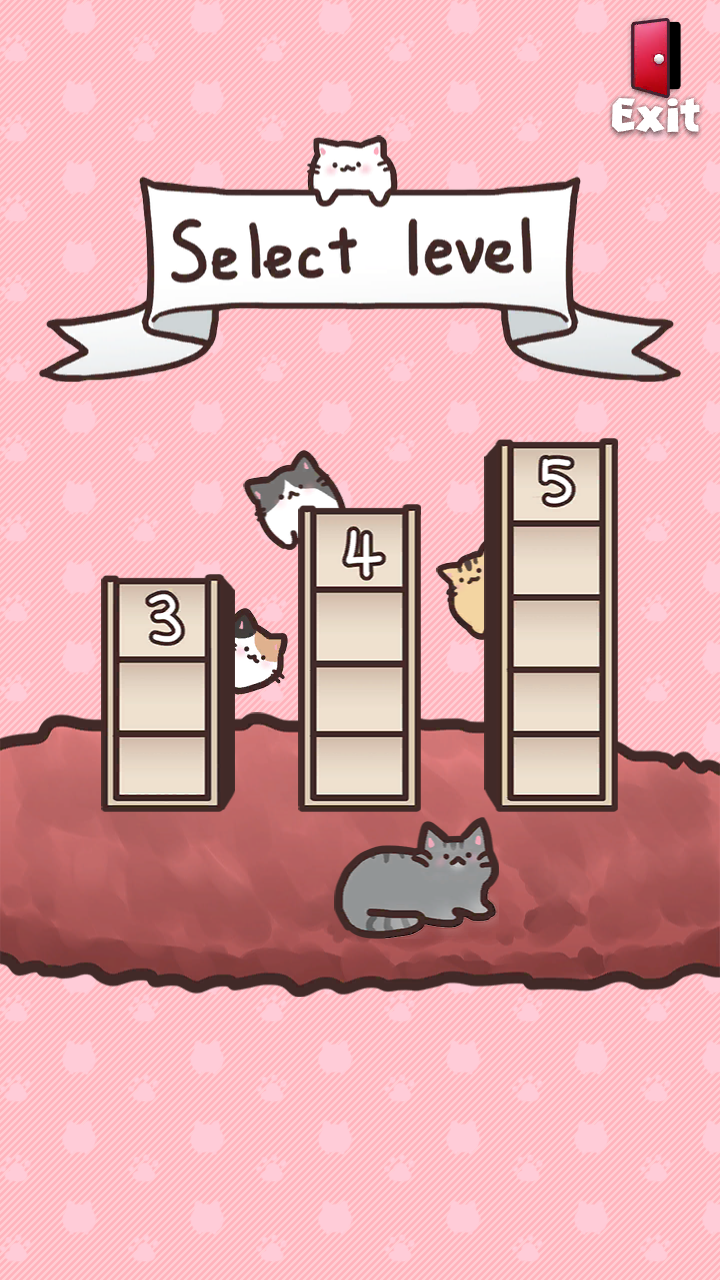
Enjoy sorting the cats sitting on the cat towers. Now Sort the Cats!

Sort through the cat blocks on the cat towers, and meet 12 kinds of cutest loafing cats!


How to play

• Tap the cat tower to move a top cat block into the desired cat tower.

• The rule of this game is to stack the cat blocks with the same pattern in each cat tower.

• When a cat tower is completed, the cat blocks will wake up into a cute cat.

• You can always undo your steps or restart the stage anytime.

• You can play the game much easier by adding a cat couch and a cat tower.


Features

• Cute cat puzzle game that’s free & easy to play.

• Unique couch system that allows you to store one cat block temporally.

• Over 1,500 stages to solve, with 3 levels of cat towers.

• Every stage can be solved without adding additional couch or a cat tower.

• Restart, undo, and continue to the next stage without watching any ad.

• Playable offline without Wi-Fi or mobile data.


The cutest cats are waiting for you. Now Sort the Cats!


This game is made by the LoafyCat’s developers. We love cats and puzzle games.

Thank you so much!


TouchGap Support | TouchGap 지원

TouchGap Support | TouchGap 지원 TouchGap은 iPhone, iPad 및 Android 기기에서 앱에 전달된 터치 이벤트의 연속성을 시각화하는 검사 도구입니다. TouchGap is a touch-continuity te...